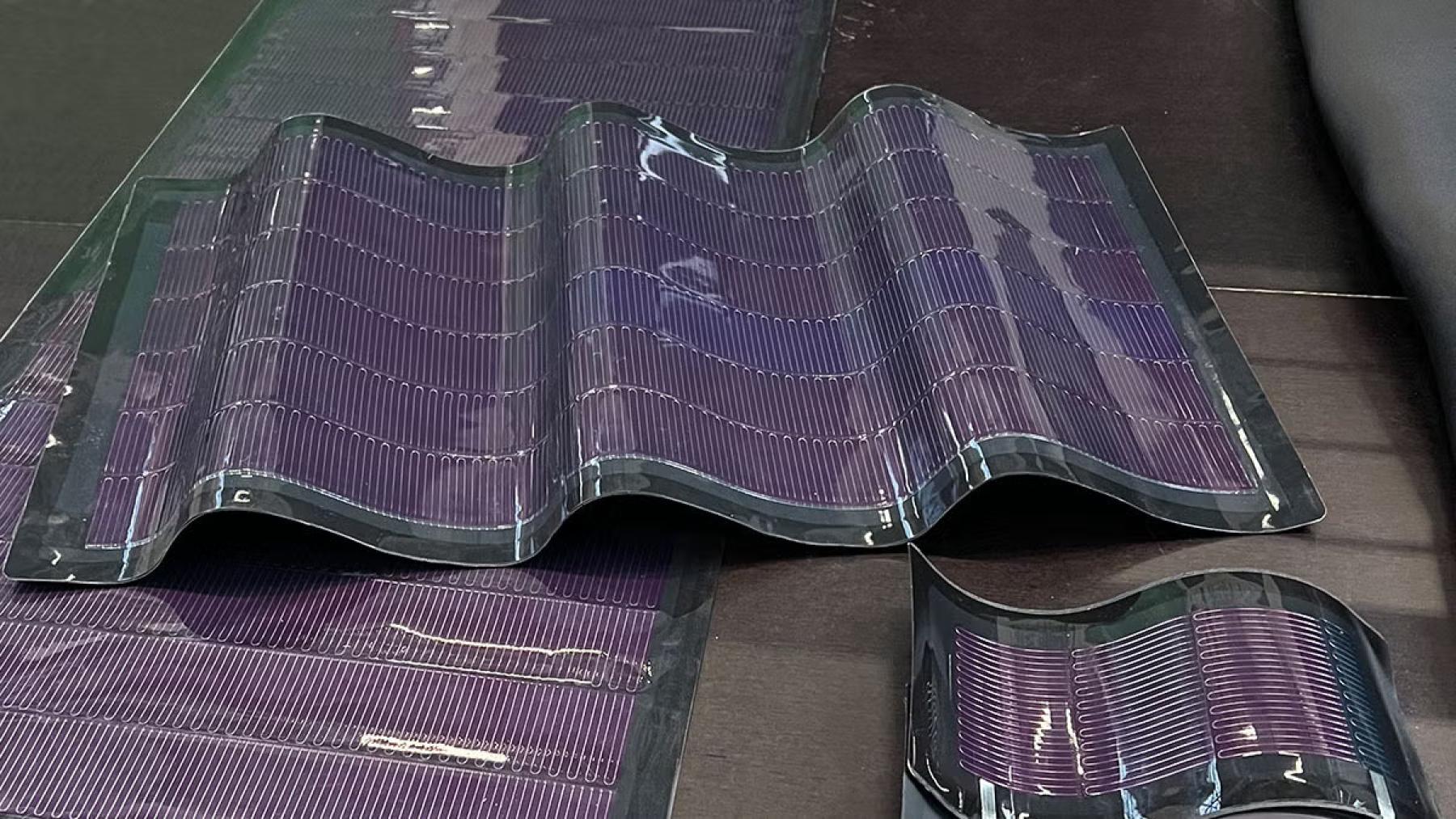
Solar energy awaits us in the coming days, and its presence seems virtually undetectable. EnFoil, based in Belgium, produces ultra-thin flexible solar panels, offering a revolutionary method to generate solar power using various surfaces. The renewable energy industry has found a true breakout product because these panels bring high efficiency and attractive design elements.
This product features groundbreaking technological elements that render it primarily unnoticeable.
EnFoil employs solar panels built from materials under the CIGS abbreviation, representing Copper, Indium, Gallium, and Selenium. The entire panel system achieves foldability and is lightweight because of the combination of its basic elements. The thin profile of 2 millimeters or below allows these panels to receive applications that previously could not support regular solar panels. The 17% efficient panels can produce 150 Wp/m² electricity.
These solar energy devices offer excellent performance while remaining flexible, creating fresh opportunities for solar power implementation. EnFoil produces customizable panels that work with truck roofs, building facades, and diverse other shapes while offering renewable energy versatility. EnFoil’s solar panels excel with their fully flexible nature as their main beneficial characteristic. EnFoil panels can be installed on both curved materials, including roof tiles and uneven swimming pool covers. Solar panels have become easier to integrate into architectural designs because of their flexible form, which combines utility with visual appeal.
EnFoil employs developed curved roof tiles with pre-formed PV foil, which delivers an improved solar panel design over regular panels. Solar tiles combine electrical power generation with the architectural preservation of buildings. The panels demonstrate resistance to impacts, which protects them against severe weather conditions and physical damage and guarantees their longevity.
These solar panels provide dual advantages of saving costs and creating a greener future through the following benefits.
EnFoil’s solar panels deliver both practical advantages to the economy and environmental benefits to our planet. As the panels weigh less than two kilograms per square meter, they decrease building structural demands, which makes installation less expensive. EnFoil PV panels outperform silicon-based PV panels regarding environmental impact reductions, reaching from 50% to 90%.
These economic benefits appear after considering more than just installation expenses. EnFoil’s panels provide quick financial recovery when used for PV strip installation on transport containers since they reach the payback period in under twelve months. The strips power the battery system of the container, so maintenance costs decrease substantially while operational expenses decrease significantly.
EnFoil solar panels have caught the attention of various industries. The European Research Council granted €150,000 to EnFoil for product progression through their award. The funding acquired by Hasselt University enables researchers to join its staff, thus demonstrating industry faith in EnFoil technology.
This company secured 150,000 Euros to create improved energy panels
EnFoil solar panels can potentially become essential components of the world’s transition towards greener power solutions. These solar panels provide perfect solutions for residential and commercial installations because they merge into different surfaces while delivering high efficiency and maintaining an outstanding appearance. The brightness of solar energy extends so far into invisibility that it requires near-unseeable technology. EnFoil’s flexible solar panels achieve exceptional breakthroughs by offering an advanced alternative to renewable energy technologies.
These solar panels demonstrate high efficiency and longevity, along with aesthetic features that provide multiple sustainable power-harvesting options. The renewable energy landscape will establish EnFoil’s solar panels as its foundational component because the world remains committed to seeking innovative ways to minimize its environmental impact. The solar panels manufactured by EnFoil help decrease dependence on fossil fuels, which is part of an essential process toward meeting world sustainability targets.
This innovative design system enables fast installation on older structures to increase access to solar power systems. Users benefit from low maintenance needs that reduce long-term expenses when using these solar panels. The investment in this technology by businesses leads to governmental incentives and tax credits, which shorten the timeframe needed for capital recovery. EnFoil advances its technology development through enhanced solar efficiency to produce progressively higher energy levels. The breakthrough makes solar power an effective solution that works well for both cities and townships.